

Documentation Index
Fetch the complete documentation index at: https://oxy.tech/docs/llms.txt
Use this file to discover all available pages before exploring further.
New Features
Ontology View
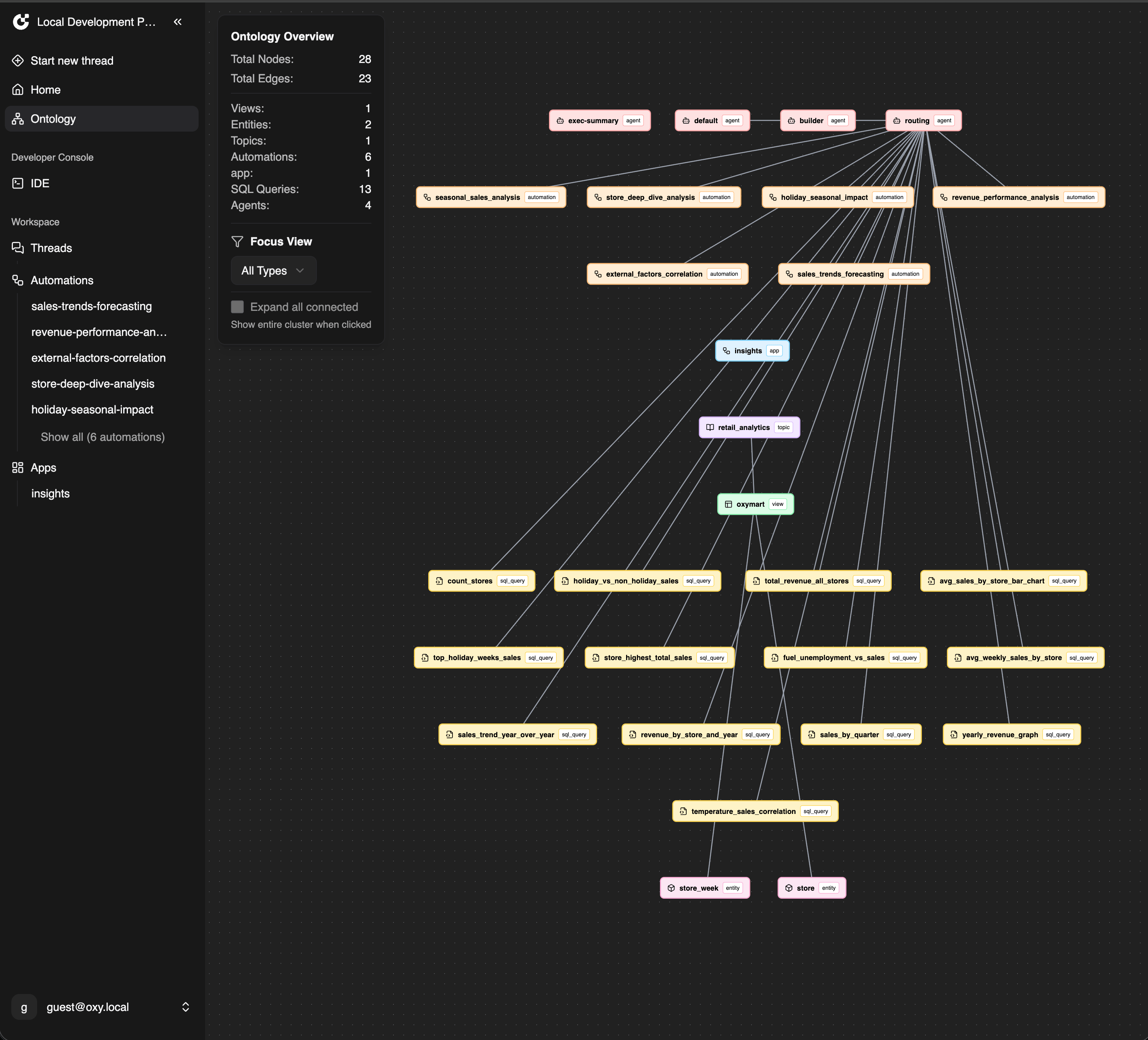
Interactive graph visualization of your entire data project:- Asset Mapping - Visual representation of all project components: data assets (tables, views, topics, entities), AI assets (agents), automation assets (workflows, apps), and SQL queries
- Relationship Discovery - See how data flows through your system from database tables → views → topics → agents/automations
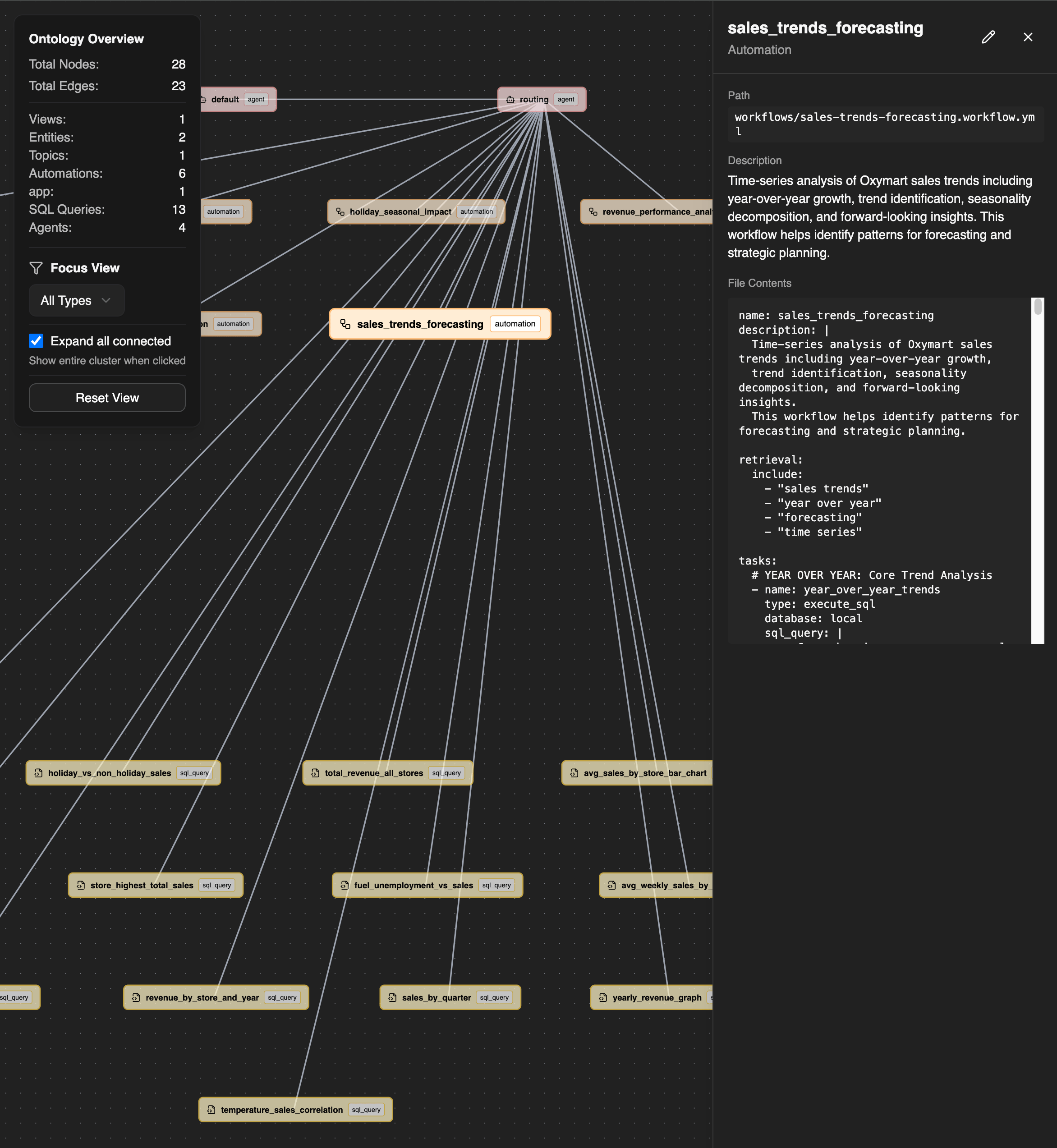
- Quick Navigation - Click any node to view details and jump directly to the file in the IDE
- Impact Analysis - Understand dependencies before making changes to avoid breaking connections
- Focused Filtering - Filter by specific asset types to isolate particular areas of your project The Ontology view provides a complete visual index of your Oxygen project, making it easier to understand, navigate, and maintain your data infrastructure. It’s essentially a “map” of your entire data ecosystem showing how AI agents, automations, and data models work together.
Agentic Workflows
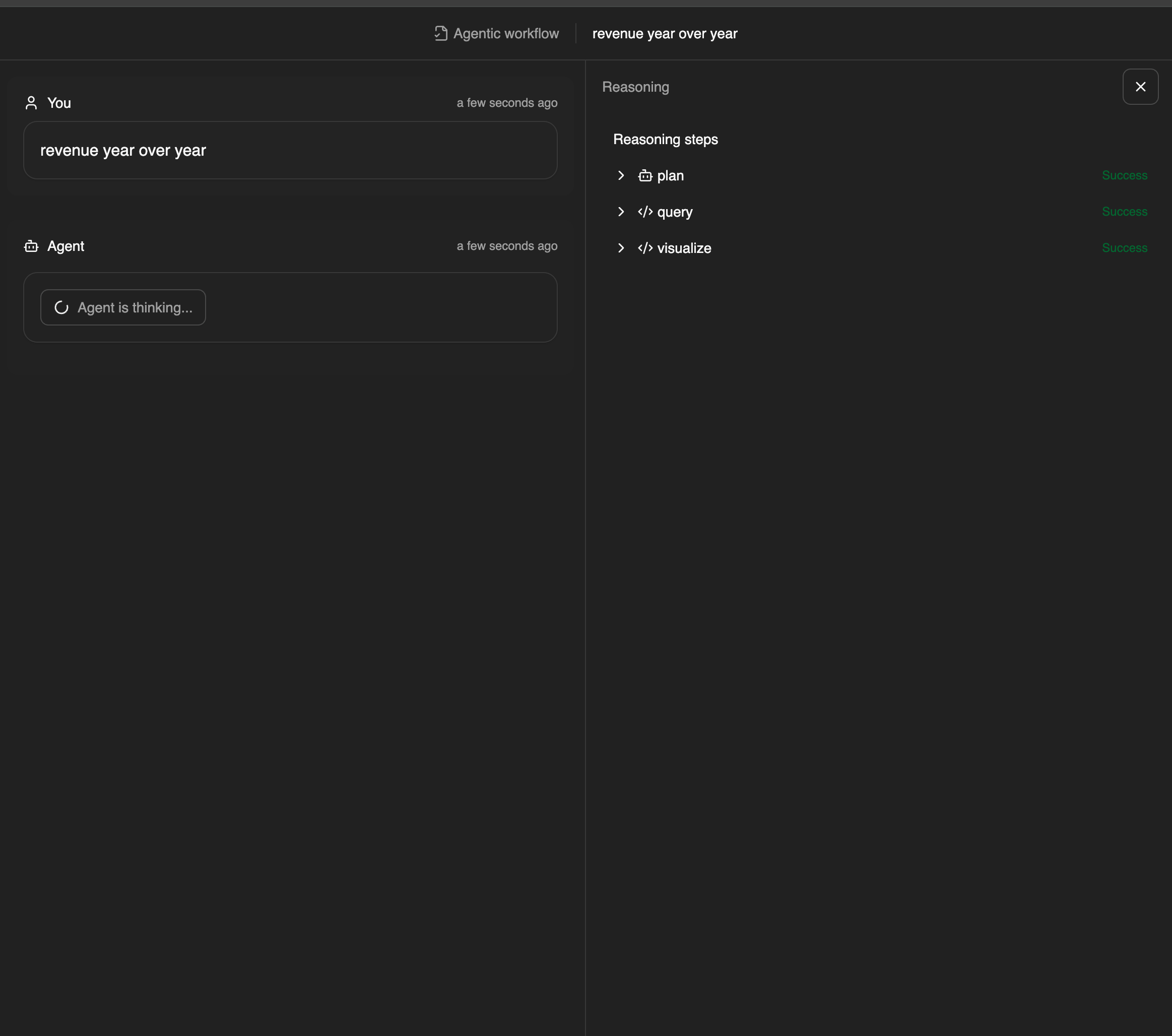
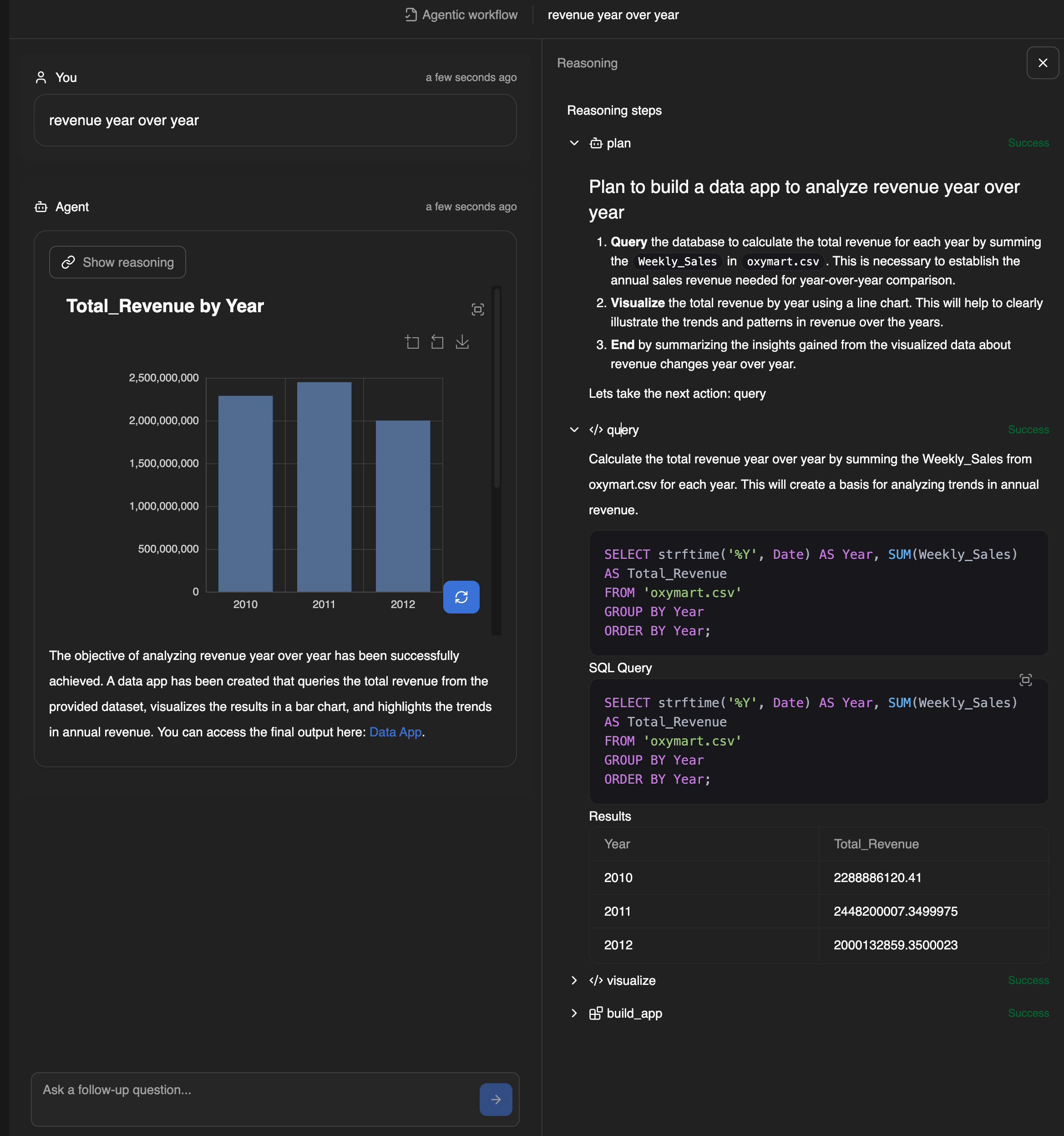
Autonomous agent-driven workflows with dynamic decision making:- Finite State Machine Architecture - Structured state transitions with start, end, and intermediate states instead of fixed task sequences
- Autonomous Decision Making - Agents select which transition to execute based on context and LLM reasoning
- Multi-Step Reasoning - Iterative reasoning with plan revision and error recovery capabilities
- Dynamic Execution - Non-linear flow based on agent intelligence rather than predefined sequences
File Extension:
.aw.yml
start: mode: plan instruction: | You are a Data Analyst expert... next: [query, visualize, insight, data_app]transitions: - type: query - type: visualize - type: insightend: mode: synthesize output_artifact: app
PostgreSQL as the exclusive database solution
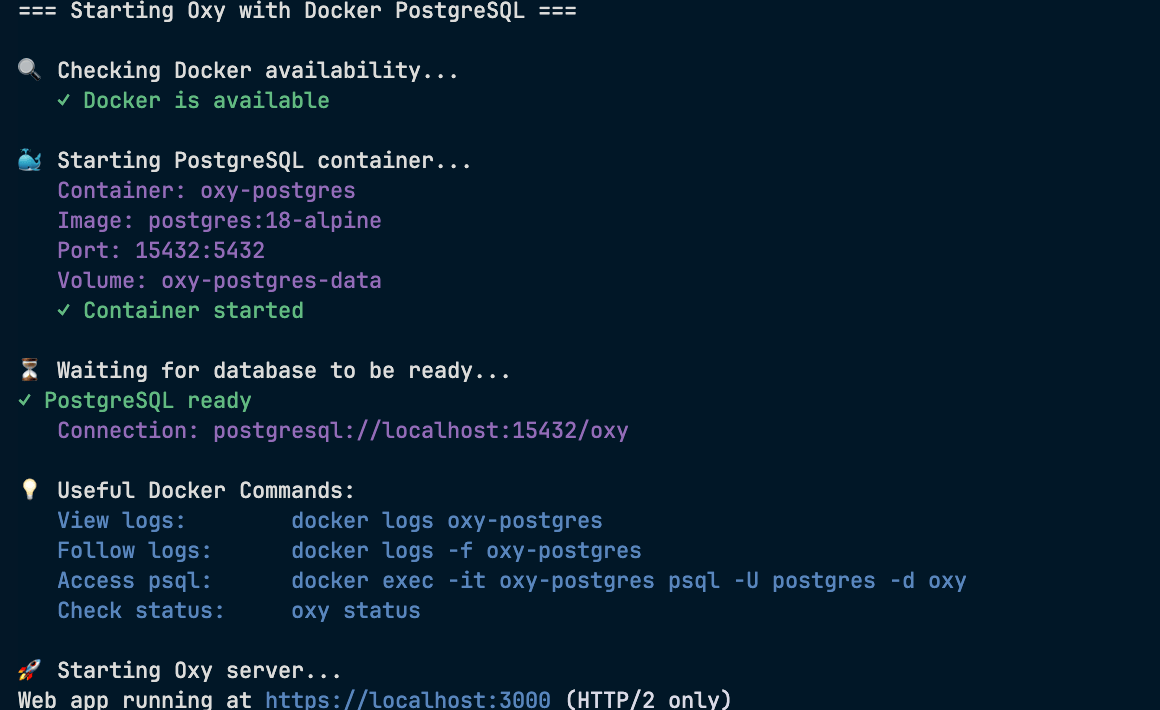
Full transition from SQLite to PostgreSQL as the exclusive database solution:- Zero-Config Local Development - New
oxy startcommand manages PostgreSQL in Docker with no manual setup required - Docker Abstraction - Docker runtime fully abstracted away (only requirement: Docker installation)
- Migration Tooling - Comprehensive
oxy migrate-sqlitecommand for seamless transition from existing SQLite databases - Status Monitoring - New
oxy statuscommand to check PostgreSQL service health - Backward Compatible -
oxy servecontinues to work as usual, but we heavily encourage users to migrate to PostgreSQL as soon as possible The PostgreSQL setup runs inside Docker whileoxy serveruns on the host machine, providing enterprise-grade database capabilities with the simplicity of SQLite
Automation Renaming
Conceptual update for clarity:- Workflows → Automations - Workflows are now called automations to better reflect their purpose
- File Extension Change -
.workflow.ymlis now.automation.yml - Consistent Terminology - Updated documentation and UI to reflect automation terminology
Platform Improvements
- Dependencies Update - Updated all dependencies and rust to latest versions for improved performance and security